Can People See Who You Follow on Instagram? (Even Your Newest Follows)
Yes. Anyone who can open your profile can see who you follow, and tools like Klupt can show your newest follows first. What family and friends can see, what Instagram notifies, and how to limit it.
Yes. Anyone who can open your Instagram profile can open your Following list. On a public account that means anyone at all. On a private account it means the followers you approved. Since Instagram's 9 September 2026 update, the order of that list in the app no longer reliably puts your newest follows on top. But a tool like Klupt still shows a public account's recent follows newest first.
Nobody gets an alert when you follow someone, except the person you followed. But anyone curious enough to tap "Following" can scroll the list, and anyone using a tracker sees your newest follows before anything else. Want to see what they see? Klupt's recently followed tracker shows any public account's newest follows first, without logging in.
The short answer
- Public account: anyone on Instagram can see who you follow, even people who don't follow you.
- Private account: only your approved followers can see who you follow. Everyone else just sees the number.
- Newest first: in the app, the order is no longer reliable since September 2026. Klupt still shows a public account's recent follows newest first. No dates are shown.
- Notifications: the person you follow is notified. Your followers, family and friends are not.
- Hiding it: you can't hide your Following list on a public account. Going private is the only real switch.
Can people see who you follow on Instagram?
Yes. Instagram shows your Following list to anyone who can see your profile. If your account is public, that's everyone, including strangers and people who don't follow you.
All someone has to do is open your profile and tap Following. They can scroll the whole list, or type a name into the search bar at the top to check if you follow one specific person.
Your list is also visible outside the app. Tools that read public Instagram data, like Klupt, can show a public account's Following list without anyone logging in. That's not a loophole: it's the same public information. Klupt also shows it newest first.
Can people see who you recently followed on Instagram?
Yes, but maybe not the way you think. On 9 September 2026, Instagram changed how follower and following lists are served. Since then, the order of a profile's Following list in the app no longer reliably shows the newest follows at the top. So someone scrolling your list in the app may not spot a new follow right away.
A recent follows tracker is different. Klupt still shows a public account's recent follows in real chronological order, newest first. If you followed someone ten minutes ago, anyone who checks you on Klupt will likely see that account first.
What people can't see is the date. The order tells them which follows are newer than others, not whether a follow happened today or last month. On your own profile you can sort your list by Date followed: Latest or Date followed: Earliest, but that view is just for you.
We explain the history in Instagram following list order explained and what changed in Instagram's September 2026 update.
So if you just followed a new crush, your ex's new partner or a random account at 2 a.m., anyone who checks your profile with a tracker can see it first. That's the part most people don't expect.
Who can see who you follow? A quick table
Here's what each person can see, depending on whether your account is public or private.
| Who is looking | If your account is public | If your account is private |
|---|---|---|
| Your followers (friends, family, partner) | Your full Following list (order not reliable since Sept 2026) | Your full Following list (order not reliable since Sept 2026) |
| People who don't follow you | Your full Following list (order not reliable since Sept 2026) | Only your following count |
| The person you just followed | A notification that you followed them (or a request, if their account is private) | The same |
| Public-data tools like Klupt | Your recent follows, newest first | Nothing beyond your counts |
| Anyone getting a "new follow" alert about you | Nobody | Nobody |
The last row is the good news. Instagram doesn't broadcast your follows. People have to go and look.
Can people see who you follow on Instagram if your account is private?
Only your approved followers can. When your Instagram account is private, people who don't follow you see your name, profile photo, bio and counts, but not the lists behind them.
That's the catch most people miss: going private doesn't hide your follows from people who already follow you. If your mom, your partner or your best friend follows you, they can still open your Following list and find your newest follows.
Private mode also only exists for personal accounts. Business and creator accounts can't be private, so their Following list is always public.
Does Instagram notify when you follow someone?
Instagram notifies only the person you follow. They get a notification that you started following them, or a follow request if their account is private. Your own followers get nothing.
This wasn't always true. Until October 2019, Instagram had a Following activity tab that showed what the people you follow liked, commented on and who they followed. Instagram removed it, and nothing has replaced it. Today there's no feed where your friends can watch your new follows roll in.
A follow can still surface in a few quiet ways:
- Your Following list. Anyone who opens it can find the new name, and a tracker like Klupt shows your newest follows first.
- The "Followed by" line. When someone who follows you visits the profile you followed, Instagram may show "Followed by [your name] and others" under the bio.
- Their Followers list. Anyone who checks the account you followed can find your name in its Followers list.
Will my family see if I follow someone on Instagram?
Your family won't get a notification when you follow someone on Instagram. But if they can see your profile, they can see the follow. Since the September 2026 update it may not sit at the top of your list in the app, but it's in there, and a tracker would show it as one of your newest.
It never disappears, though, unless you unfollow.
In real life, family members usually find out in one of these ways:
- They open your profile, tap Following and spot the new name.
- They visit that person's profile and see "Followed by" with your name.
- The person you followed is someone they know too, and it comes up in conversation.
- A parent has set up Instagram's supervision tools on a teen's account, which let them see the accounts their teen follows.
If you'd rather they didn't see, your options are limited. You can make your account private and remove family members as followers (which they might notice), or accept that the follow is visible. If you're a parent reading this from the other side, our guide to Instagram tracking for parents covers what's fair to check and how to talk about it.
Can people see who you requested to follow on Instagram?
Only the private account you sent the request to can see it. A pending follow request doesn't appear in your Following list, and your followers aren't told about it.
Here's how a request plays out:
- Pending: the private account sees your request. Nobody else does. On their profile, your button shows Requested.
- Accepted: it becomes a normal follow and appears in your Following list, where your followers can see it.
- Declined or cancelled: nothing shows on your profile. You can cancel by tapping Requested on their profile, but they may have seen the request already.
Can people see who you used to follow on Instagram?
No. Instagram doesn't keep a public list of accounts you used to follow, and it doesn't notify anyone when you unfollow. The account simply disappears from your Following list.
People can still notice in a few ways:
- The person you unfollowed might spot their follower count drop, or see that the "Follows you" label is gone from your profile.
- Someone who knows your list well may notice a name is missing, or that your following count went down.
- Tracking tools that check a profile over time can see the difference between two checks.
And if you unfollow and follow again later, the re-follow counts as a brand-new follow, so a tracker shows it as one of your newest. For the other side of this, see how to see who unfollowed you on Instagram.
Want to see your Following list the way others see it? Klupt shows any public account's newest follows first, which is exactly what a curious partner or friend would check. See who an account recently followed with no login and no notification.
How to see exactly what others see (yours or anyone's)
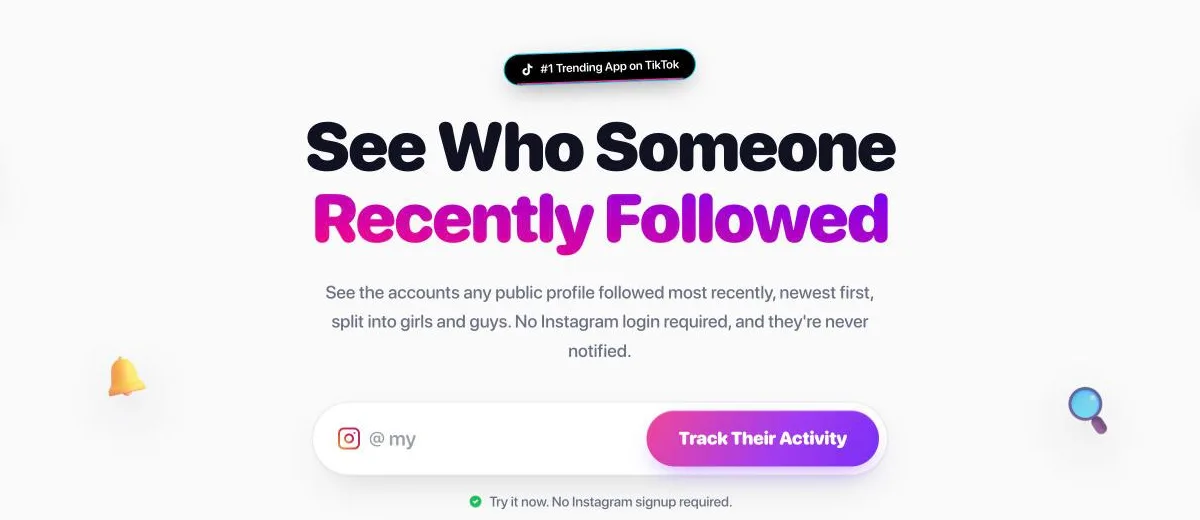
Klupt's Recently Followed tracker shows a public Instagram account's recent follows newest first. Since Instagram's September 2026 update, the app no longer reliably shows that order, and Klupt is one of the few tools that still does. No Instagram login or password is needed, and the account owner is never notified.
- Open Klupt's recently followed tracker.
- Type a username: your own, to check what strangers see, or someone else's. The account must be public.
- Look at the top of Klupt's list. Those are the newest follows, newest first (the order, not exact dates).
- Look at the girls/guys breakdown to see who the recent follows lean toward.
- Optional: with Premium, track the profile and get a Telegram alert from @kluptbot when it follows someone new.
Klupt can't see inside private accounts. For private accounts you already follow, the free Katch the Ick extension for Chrome and Safari works through your own logged-in session. Want follower and following counts plus the latest follows for several profiles? The Instagram follower tracker tracks up to 5 profiles with Premium.
Your first check is free. Premium starts at about $0.58/week on the yearly plan in the US (prices vary by country). For the full walkthrough, manual and automated, read how to see who someone recently followed on Instagram.
How to hide who you follow on Instagram
You can't hide your Following list on a public Instagram account. The only setting that hides who you follow is making your account private, and even then your approved followers can still see the list.
To make your account private:
- Open your profile and tap the menu (three lines).
- Go to Settings and activity → Account privacy. The wording can vary a little by app version.
- Turn on Private account.
Then decide who stays:
- Remove followers you don't want looking. Open your Followers list and tap Remove next to their name. Instagram doesn't notify them.
- Block anyone who shouldn't see your profile at all. Blocking hides your profile and both lists from that account.
These don't hide your follows, even though people often try them:
- Close Friends only controls who sees certain Stories.
- Restrict limits comments and messages, not your lists.
- Hiding like counts has nothing to do with your Following list.
For screenshots and the business-account workaround, see how to hide followers on Instagram.
Check your own list before someone else does
Your Following list is more visible than it feels. There's no announcement, but your partner, your friends or your family can open it, and a tracker shows your newest names first. If you want to know what that looks like from the outside, check it the same way they would.
Want to know what your newest follows say about you? Run your own public username, or anyone else's, through Klupt and see the list newest first. Check recent Instagram follows with Klupt anonymously, first check free.
FAQ
Can people see who you follow on Instagram if they don't follow you?
On a public account, yes. Anyone on Instagram can open your Following list, even people who don't follow you. On a private account, people who don't follow you only see your following count, not the list.
Does Instagram tell my followers when I follow someone?
No. Instagram only notifies the person you follow. Your followers, friends and family get no notification, but they can still find the new follow in your Following list if they open it.
Can people see who I recently followed on Instagram?
Yes, though not always at a glance in the app. Since Instagram's September 2026 update, the order of your Following list no longer reliably puts your newest follows on top. Tools like Klupt still show a public account's recent follows newest first. No dates are shown, only the order.
Will my family know if I follow someone on Instagram?
They won't get a notification. But if they can see your profile, they can open your Following list and find the new follow, or see "Followed by" with your name on that person's profile.
Can people see who I requested to follow on Instagram?
Only the private account you sent the request to. Pending requests don't appear in your Following list. If they accept, the follow shows up in your list like any new follow.
Can I hide who I follow on Instagram without going private?
No. Instagram has no setting that hides only your Following list. Making your account private is the only option, and your approved followers can still see who you follow.