How to See Hidden Likes on Instagram (Who Liked a Post When the Count Is Hidden)
Hidden like counts only hide the number. You can still open the list of who liked a post or Reel. Steps for the app and web, and how to check without an account.
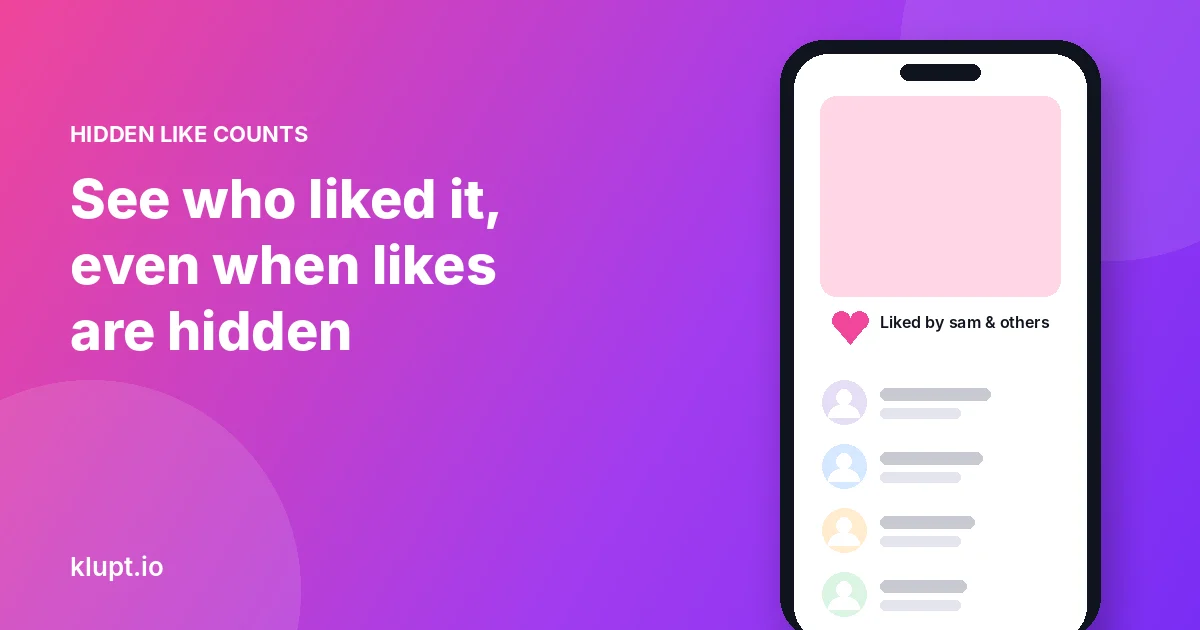
Hidden likes only hide the number. When someone hides the like count on a post, you still see “Liked by [name] and others” under it. Tap that line and the list of accounts that liked the post opens, just without a total. What you can’t get is the exact count, unless you own the post.
Hidden like counts are an Instagram setting, available since May 2021, that removes the public like total from a post or Reel. People can hide counts on their own posts, or hide them on everyone’s posts in their own feed. Instagram still records the likes and the owner still sees them.
What hiding likes hides (and what it doesn’t)
| Owner of the post | Everyone else | |
|---|---|---|
| Total number of likes | ✅ Visible (tap the likes line, or insights) | ❌ Hidden |
| “Liked by [name] and others” | ✅ | ✅ |
| List of accounts that liked it | ✅ | ✅ Usually still opens |
| Number of views on a Reel | ✅ | Hidden if the creator hid counts |
So the answer to “how do I see hidden likes” is mostly: tap the line that’s already there.
How to see who liked a post (hidden or not)
In the app
- Open the post.
- Under the photo, tap Liked by [name] and others. If you follow someone who liked it, their name is the one shown first.
- The list of accounts that liked the post opens. Scroll to load more.
On a Reel
- Open the Reel full screen.
- Tap the heart count on the right. If the count is hidden, tap the area under the heart.
- The likers list opens where Instagram allows it.
On a computer
- Open the post on instagram.com while signed in.
- Click the likes line under the post.
- A pop-up shows the accounts. Scroll inside it to load more.
How to see who liked a post without an account
If you don’t have Instagram, or you don’t want to sign in, Klupt’s Instagram likes viewer works from the post link:
- Copy the link of a public post or Reel (Share → Copy link).
- Paste it into the likes viewer.
- You see who liked it and can search the list by name, which is much faster than scrolling on a big post.
Looking up a post and its counts is free. The full likers list with search is part of Klupt Premium. It never uses your Instagram account, so the owner can’t connect the lookup to you.
What you still can’t see
- The exact total, if the owner hid it. Third-party sites that promise to reveal hidden counts can’t read numbers Instagram doesn’t return.
- Likes on private accounts you don’t follow.
- Every single like on a viral post. On very large posts Instagram returns the likers in batches and may not return them all, so tools and the app show the most recent likers first.
- Story likes. Only the person who posted the Story sees who liked it.
- A list of everything one person liked. Instagram removed the Following activity tab in 2019. See how to see what someone likes on Instagram for what still works.
How to hide (or unhide) likes on your own posts
On a post you already shared: open it, tap the three dots, then Hide like count. Tap Unhide like count to bring it back.
Before you post: on the last screen, open Advanced settings (or More options) and turn on Hide like and view counts on this post.
On everyone else’s posts in your feed: go to Settings, find Like and share counts (under What you see), and turn on Hide like and share counts.
Hiding counts doesn’t stop people from opening your likers list, and it doesn’t change how Instagram ranks your post.
Why people check who liked a post
Most of the time it’s simple curiosity: did a friend see it, did a brand notice it, who’s been liking an ex’s new photos. If what you really want to know is who someone is paying attention to, likes are a weak signal: they’re scattered and post by post. The accounts someone recently followed say more. Klupt shows who a public profile recently followed, newest first, and can alert you on Telegram when they follow someone new.
FAQ
Can you see who liked a post if the likes are hidden?
Usually, yes. Tap “Liked by [name] and others” and the list opens, without a total.
Can you see how many likes a post has when they’re hidden?
No. Only the owner sees the total.
How do I see who liked a Reel?
Open the Reel and tap the heart count, or the area under the heart if the count is hidden.
Can you see hidden likes on a private account?
Only if you follow the account.
Does the owner know I looked at who liked their post?
No. Opening a likes list never notifies anyone.
Why can’t I see every like on a big post?
On very popular posts Instagram returns likers in batches and may not return all of them.