How to See Someone's Activity on Instagram (What You Can Really See)
How to see someone's activity on Instagram in 2026: activity status, likes, the Reels Friends tab, Map and new follows. What works, what doesn't, and why.
You can't see a full activity feed for someone else on Instagram, because Instagram removed that feature in 2019. What you can still see is their activity status in your DMs, public reels they liked or commented on in the Reels Friends tab, and, on a public account, who they followed most recently.
That matters because Instagram is where a lot of our relationships play out. Pew Research Center found that 50% of U.S. adults use Instagram, and 80% of adults aged 18 to 29. When you're wondering what a crush, a partner or an ex is up to, the signals are spread across six places in the app, and most guides just try to sell you a spy app.
Below: where each signal lives, what it tells you, and what nobody can see. If the account is public, Klupt's Instagram follower tracker shows its follower and following counts and who it followed lately, newest first. No login, and the person is never notified.
The short answer
- Online status: you see a green dot or "Active X ago" in Messages, only if they share it with you.
- Likes and comments: no list for another person. You check post by post, or see public reels they interacted with in the Reels Friends tab.
- New follows: on a public account, Klupt shows their newest follows first. Since Instagram's September 2026 update, the app's Following list no longer reliably does. This is the clearest signal you can get.
- Private accounts: nothing beyond the name, photo, bio and counts unless you're an approved follower.
- Never visible: someone else's DMs, who viewed a profile, and a full history of what they did.
Can you see someone's activity on Instagram?
Partly. Instagram shows small pieces of other people's activity in different places, but there's no single page that lists what someone liked, commented on or followed.
It used to be easier. Until October 2019, the heart icon had a Following tab that showed what the people you follow liked, commented on and who they started following. Instagram removed it, partly because many people didn't know their activity was showing up there. Today the heart icon only shows your own notifications.
Your activity in your settings is only your own likes, comments and time spent, never someone else's. "Connected experiences" in Meta's Accounts Center is also about your own data.
What you can and can't see on Instagram, by activity type
Here's the honest version, based on how Instagram works today and what a public-data tool like Klupt can read.
| Activity | Can you see it? | Where it shows up | With Klupt (public accounts) |
|---|---|---|---|
| Online status / last active | Only if they share it with you | Green dot or "Active X ago" in Messages | No |
| Likes | Post by post, no full list | A post's likes list, the Friends tab in Reels | Who liked a specific public post |
| Comments | Post by post, no history | Under each post, the Friends tab in Reels | Read and search comments on a public post |
| New follows | Yes, on public accounts | Their Following list (order not reliable since Sept 2026) | Newest follows first, plus Telegram alerts with Premium |
| Follower and following counts | Yes, on any account | Their profile | Yes |
| Stories | If public or you follow them | Their profile (you appear in viewers) | Watch public stories anonymously |
| Reposts | If public or you follow them | Reposts tab on their profile, Friends tab | No |
| Location (Instagram Map) | Only if they chose to share it with you | Map at the top of your DM inbox | No |
| Notes | Only if they show them to you | Top of your DM inbox, for 24 hours | No |
| DMs | No, only your own chats | Nowhere | No |
| Profile views | No, for anyone | Instagram doesn't show it | No |
The last two rows are where a lot of apps lie. Nobody can show you someone else's DMs or who viewed a profile. We explain why in who viewed my Instagram profile.
How to see someone's activity status on Instagram
You see someone's activity status in Messages, as a green dot or "Active X ago" next to their name. According to Instagram's Help Center, people you follow and anyone you message can see when you were last active, if your activity status is on. It doesn't appear on profiles.
- Tap the Messages icon at the top of your feed.
- Look at your chat list, or open a chat with that person.
- A green dot means they're active now. "Active 2h ago" means they were last active about two hours ago.
Seeing nothing? It works both ways. If you turn your own activity status off, you also stop seeing everyone else's. Check yours in Settings → How others can interact with you → Messages and story replies → Show activity status.
What does "Active X ago" mean on Instagram?
"Active X ago" shows roughly when that person was last active on Instagram. "Active 15m ago" means they were in the app about 15 minutes ago. It doesn't tell you who they talked to or what they did.
That's the part that hurts. Seeing "Active now" at 2 a.m. while they haven't answered you feels like a big deal. But they could be scrolling Reels or replying to their mom. It's a timestamp, not a story.
If the status disappears, they may have turned it off, you may have turned yours off, or you're no longer connected in a way that shows it. It's not proof that they blocked you.
How can you see what someone likes on Instagram?
You can only see someone's likes one post at a time, or as public reels they liked in the Friends tab. Since the Following tab disappeared in 2019, there's no list of everything one person has liked.
To check a single post:
- Open a post they're likely to like, such as a friend's photo or an account they recently followed.
- Tap the likes line under the post.
- Search the list for their username.
Since May 2021, people can hide like counts. That hides the number, but the list of who liked it usually still opens. For public posts and reels, Klupt's Instagram likes viewer shows who liked it from the post link. We go deeper in how to see someone's likes on Instagram.
Comments work the same way: visible on each post, but no history. The Instagram comment viewer lets you search a public post's comments for a username. For the full method, read how to see someone's comments on Instagram.
Where does someone's activity show up on Instagram in 2026?
In four newer places: the Friends tab in Reels, the Reposts tab, Instagram Map and Notes. Most older guides miss these because they arrived in 2025, the year Instagram reached 3 billion monthly users, according to Mark Zuckerberg.
The Friends tab in Reels
The Friends tab launched in the US in January 2025 and went global with Meta's August 2025 update. It shows public reels your friends liked, commented on, reposted or made, with their profile pictures on top. It's the closest thing to the old Following tab.
So yes, you might see your boyfriend's face on a reel from someone you've never heard of. But it only covers public reels, people can hide their own likes and comments from the tab, and you can mute specific people's activity bubbles.
The Reposts tab
Since August 2025, reposts show up in their own tab on a profile. If the account is public, or you follow it, you can see what they've shared from other people.
Instagram Map
Instagram Map sits at the top of the DM inbox. Location sharing is off by default. People can share with friends (followers they follow back), Close Friends, chosen people, or no one. Their location updates when they open the app, so it's not a live GPS feed. It launched in the US first. Map also shows location-tagged content from people you follow for 24 hours.
Notes
Notes are short messages at the top of the DM inbox that last 24 hours. A song, a mood, a little "can't sleep". They're a hint about someone's day, not a log of what they did.
What is shared activity and how do you see it?
Shared activity is a view of your interactions with one specific person: likes, comments and tags between the two of you, plus how long you've followed each other. It only covers the two of you, not what they do with anyone else.
If your app shows it, here's how to find it:
- Open their profile.
- Tap the ⋯ menu in the top corner.
- Tap See shared activity.
Not everyone sees this option, and Instagram hasn't documented it on a current help page, so it may depend on your app version or account.
How to see who someone recently followed on Instagram
Use a tool that still shows real newest-first order, like Klupt. Since Instagram's 9 September 2026 update, the order of someone's Following list in the app no longer reliably shows their most recent follows. There are no dates either, only the order. Here's what changed in Instagram's September 2026 update. New follows are the most useful activity signal, because a new follow is usually where new likes and comments start. (Your own list works the same way: see can people see who you follow on Instagram.)
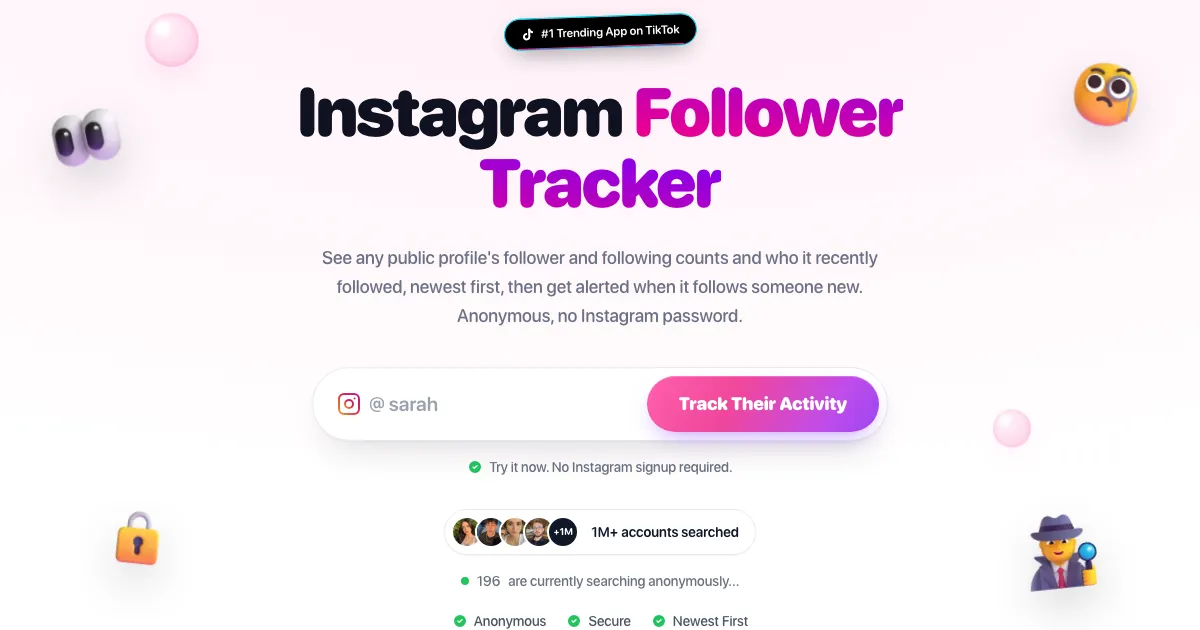
Want to see who they followed lately without opening Instagram? Paste a public username into Klupt's Instagram follower tracker to see their follower and following counts and newest follows. No login, and they're never notified.
- Open the Instagram follower tracker.
- Type a public username.
- Read the follower and following counts, then the newest follows at the top of the list.
- Optional: with Premium, track the profile and get a Telegram alert when they follow someone new. Klupt checks about every hour.
Want a girls/guys split of the newest follows? The recently followed tool shows that. For the full walkthrough, read how to see who someone recently followed on Instagram.
Can you see activity on a private account?
No. On a private account you see only the name, profile photo, bio and counts until they approve your follow request. Posts, stories, reposts and both follow lists stay hidden.
No website can get around that, Klupt included. If you already follow the private account, everything in the table above applies to you like any public account.
Is there an Instagram activity tracker that works?
Yes, for public data, but no tracker can show everything someone does. An honest tracker reads what Instagram already makes public: counts, follows, likes and comments on a given post, and stories.
No tracker can see online status, DMs or profile views, Klupt included. If an app promises those, it's guessing, or it wants your Instagram password, which can get your account locked or stolen.
For public accounts, Klupt covers the rest without a login: newest follows (with a girls/guys split in Recently followed), likes and comments on a post, and an anonymous story viewer that keeps you out of the viewers list.
Why spy apps on someone else's phone are a bad idea
Many top results for this search push phone-monitoring apps. They must be installed on the other person's phone, so you need it in your hands and usually the passcode too.
Secretly installing monitoring software on another adult's phone can break privacy, wiretapping and stalking laws in many countries. You also hand their private messages to a company you know nothing about. And if they find it, the relationship is usually over.
Can someone see your activity on Instagram, and how do you hide it?
Yes. Everything in this guide works on you too, but you can switch most of it off.
- Activity status: turn off Show activity status in Settings → How others can interact with you → Messages and story replies. You'll stop seeing other people's status too.
- Friends tab: in Settings, look for the Friends tab activity option and hide your likes and comments there.
- Like counts: hide them on your own posts if you don't want the numbers seen.
- Instagram Map: set location sharing to No one.
- Follows: make your account private so only approved followers can see who you follow.
Your activity in the app stays private. Only you can see it.
Look at the signals that actually exist
There's no secret activity log on Instagram. There's a green dot in DMs, a Friends tab full of reels, a Following list (best read newest first with a tool like Klupt), and a few hints in Map and Notes. Together, they tell you more than any spy app, without the legal risk.
Want to know who they followed lately? Start with the clearest signal. Check any public account with Klupt's Instagram follower tracker and see their counts and newest follows, with no login and no notification.
FAQ
Can you see someone's activity on Instagram? Only parts of it. You can see their activity status in Messages if they share it with you, public reels they liked or commented on in the Reels Friends tab, their posts, stories and reposts, and on a public account, who they followed most recently. There is no full activity feed for another person.
Can you see what someone likes on Instagram? Not as a list. Instagram removed the Following activity tab in October 2019. You can open a specific post's likes list and look for their name, or see public reels they liked in the Friends tab in Reels if you are friends and they haven't hidden that activity.
What does "Active X ago" mean on Instagram? It shows roughly when that person was last active on Instagram. You only see it in Messages, and only if they have Activity Status turned on, they follow you or you have messaged each other, and your own Activity Status is on too. A green dot means they are active now.
Can you see someone's activity on a private account? No, not unless they approve you as a follower. Before that you only see their name, profile photo, bio and counts. No app or website, including Klupt, can see inside a private account.
Does Instagram notify someone when you check their activity? No. Opening a profile, a Following list, a likes list or comments never sends a notification. Watching a story in the app adds you to the viewers list, and liking or following does notify. Klupt never uses your Instagram account, so the person is not notified.
Is there a free Instagram activity tracker? Instagram's own signals, like Activity Status, the Friends tab and Following lists, are free to check. Klupt's Instagram follower tracker shows a public account's counts and newest follows without a login, and Premium adds Telegram alerts for new follows. Avoid apps that want your password or need to be installed on someone else's phone.