How to Tell If an Instagram Account Is Fake: 9 Checks That Work (2026)
Spot fake, catfish and scam Instagram accounts with 9 checks: reverse image search the profile picture, About this account, follower ratio and red-flag DMs.
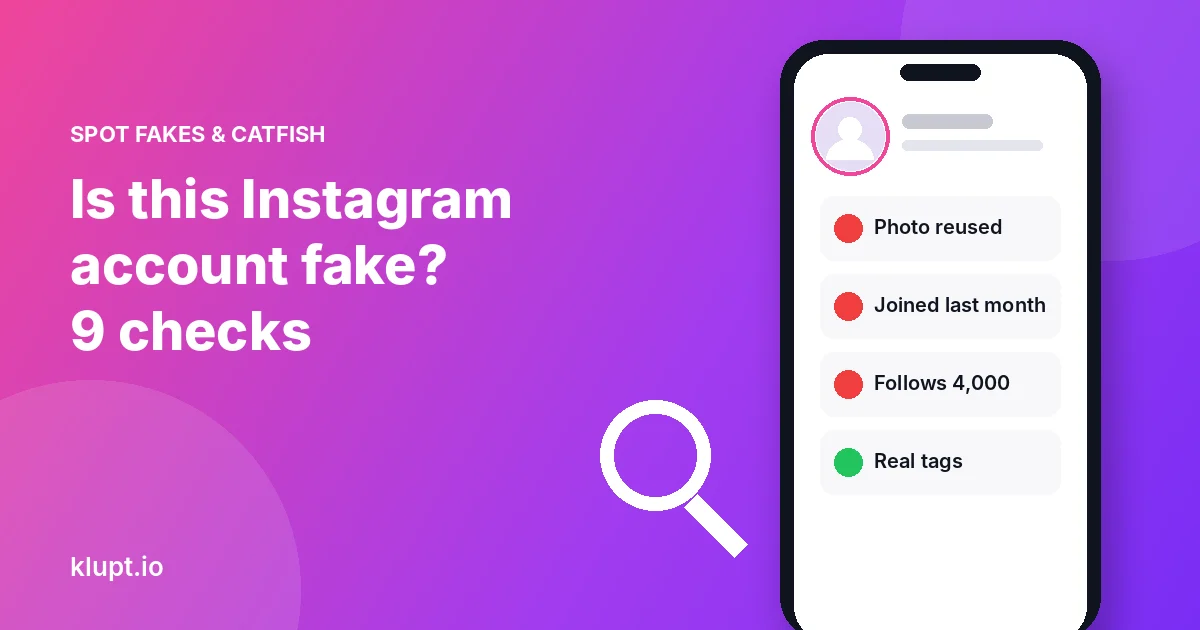
The fastest test is the profile picture. Get it at full size, run a reverse image search, and see if the same face shows up under another name. Then check when the account joined, how its follower count compares to the accounts it follows, and what it asks you for. If it wants money, a login code or a move to another app, treat it as fake whatever else it looks like.
A fake Instagram account is a profile that pretends to be someone it isn’t. That includes catfish accounts (a real person using someone else’s photos), impersonators copying a friend or brand, scam accounts and automated bots. They look different, but most of them fail the same checks.
The 9 checks at a glance
| # | Check | What a fake account often shows | Time |
|---|---|---|---|
| 1 | Reverse image search the profile picture | The face appears under another name or on a model or stock site | 2 min |
| 2 | About this account | Joined recently, or the username changed many times | 30 sec |
| 3 | Followers vs following | Follows thousands, followed by very few | 10 sec |
| 4 | The grid | Empty, or every post uploaded on the same day | 1 min |
| 5 | Tagged photos | No one has ever tagged them | 30 sec |
| 6 | Comments and likes | Generic comments, likes from obvious bots | 1 min |
| 7 | Username and badge | One letter off a real account; a ✔️ emoji instead of a badge | 30 sec |
| 8 | Who they recently followed | Bursts of follows to strangers or near-identical accounts | 1 min |
| 9 | What they ask for in DMs | Money, codes, links, or “let’s move to WhatsApp” | — |
No single check proves anything. Two or three red flags together usually do.
1. Reverse image search the profile picture
Catfish accounts almost never use their own face. They take photos from a real person’s profile, a model portfolio or a stock photo site.
- Get the full-size profile picture. In the app it’s a tiny circle, which gives poor search results. Type the username into Klupt’s Instagram profile picture viewer to see the largest version Instagram keeps and download it. It’s free and works on private accounts too, because profile pictures are public on every account.
- Upload it to Google Lens, Bing Visual Search or TinEye.
- Look for the same face under a different name, on another country’s social network, on a modelling or stock site, or in a news story about scams.
Do the same with one or two photos from the grid if the account is public. Catfish accounts often reuse a whole set of pictures from one real person.
2. Open “About this account”
On the profile, tap the three dots in the top right, then About this account. Where Instagram shows this panel, it can include:
- Date joined. An account “from” a person you’ve known for years that joined last month deserves a second look.
- Former usernames. It shows how many times the name changed. Scam accounts are often renamed again and again.
- Account based in. Some accounts show a country. A mismatch with the story they tell you is a warning sign.
The panel was built for accounts that reach large audiences, so small accounts may not have it. A missing panel proves nothing either way.
3. Compare followers and following
Bots and mass-follow accounts follow thousands of people hoping some follow back. A profile with 4,000 following and 60 followers is a classic pattern. A real person can have an odd ratio, but combined with other flags it means a lot.
You can check the counts without signing in, and see how they change over time, with the Instagram follower tracker.
4. Read the grid
Fake accounts are built fast. Common signs:
- No posts at all, or 3–9 posts all uploaded on the same day.
- Photos that look like a magazine shoot but no everyday pictures.
- No friends in any photo, or the same person in every photo with no one else around.
- Captions that don’t match the photos, or none at all.
5. Check the tagged photos
Tap the tagged tab (the person icon on the profile). Real people get tagged by friends, family and places over the years. A profile that claims a busy social life but has never been tagged by anyone is suspicious.
6. Look at comments and likes
Open a few posts. Real accounts get comments from real friends, with names and inside jokes. Fake accounts tend to get one-word comments and emoji strings from other empty accounts, or none at all. If likes are visible, tap them and see whether the likers look real. The Instagram likes viewer lets you search a public post’s likers without signing in.
7. Check the username and the badge
- Impersonators pick handles one character off the real one: an extra dot, an underscore, “rn” instead of “m”, or “official” added on.
- Fake badges are a ✔️ emoji typed into the name or bio. Instagram’s real badge sits next to the username and can’t be copied as text.
- Real badges don’t prove good intent either. Meta Verified is a paid subscription, so a badge means an ID was checked, not that this person should be trusted in your DMs.
8. See who they recently followed
What an account follows says a lot about who runs it. On a public account, Klupt shows who it recently followed, newest first, with a breakdown of girls and guys:
- A catfish often follows dozens of strangers of one gender in a short burst.
- A bot follows many near-identical accounts, or hundreds of unrelated accounts within hours.
- A real person mostly follows friends, places, creators and brands that match their life.
If you’re checking someone you met online, this is also a quick way to see if the account was only created to talk to you. Full method in how to see who someone recently followed.
9. Watch what they ask for
A careful scammer can make a profile look tidy. Their requests give them away. Stop and report if an account:
- asks for money, gift cards, crypto or “help with a fee”
- asks for a login code or says it sent you a code by mistake
- wants to move the chat to WhatsApp, Telegram or another app quickly
- sends a link to “verify your account” or claims to be Instagram support in a DM
- asks for private photos early, or threatens to share photos you sent
Instagram never contacts you about your account through a DM. Its real messages appear in Settings → Accounts Center → Password and security → Recent emails, where it lists the emails it actually sent.
What to do if the account is fake
- Don’t send money, codes or photos, and don’t click its links.
- Report it: on the profile tap the three dots → Report. If it’s pretending to be someone you know, choose the impersonation option and tell that person.
- Block it, and consider making your own account private if it targeted you.
- If you’re being threatened, keep screenshots and contact local police. Never pay.
Are “fake follower checker” apps worth it?
Some tools score an account’s followers for bots. They can be useful for brands vetting influencers. For checking a single person, the free checks above are enough. Avoid any app that asks for your Instagram password: it can lock or lose your account. See are Instagram viewer apps safe.
FAQ
How can I tell if an Instagram account is fake?
Reverse image search its profile picture, open About this account, compare followers with following, check its posts and tags, and watch what it asks for in DMs.
How do I reverse image search an Instagram profile picture?
Get the full-size version with a profile picture viewer, then upload it to Google Lens, Bing Visual Search or TinEye.
How do I see when an Instagram account was created?
Tap the three dots on the profile, then About this account. It doesn’t appear on every account.
Can a fake account have a blue check?
Yes. A ✔️ emoji isn’t a badge, and a paid Meta Verified badge only confirms an ID was checked.
What should I do if I find a fake account?
Don’t send anything, report the profile in the app, block it, and warn the real person if it’s impersonating someone.
Will the person know I checked their account?
No. Instagram doesn’t notify anyone about profile views or saved profile pictures.